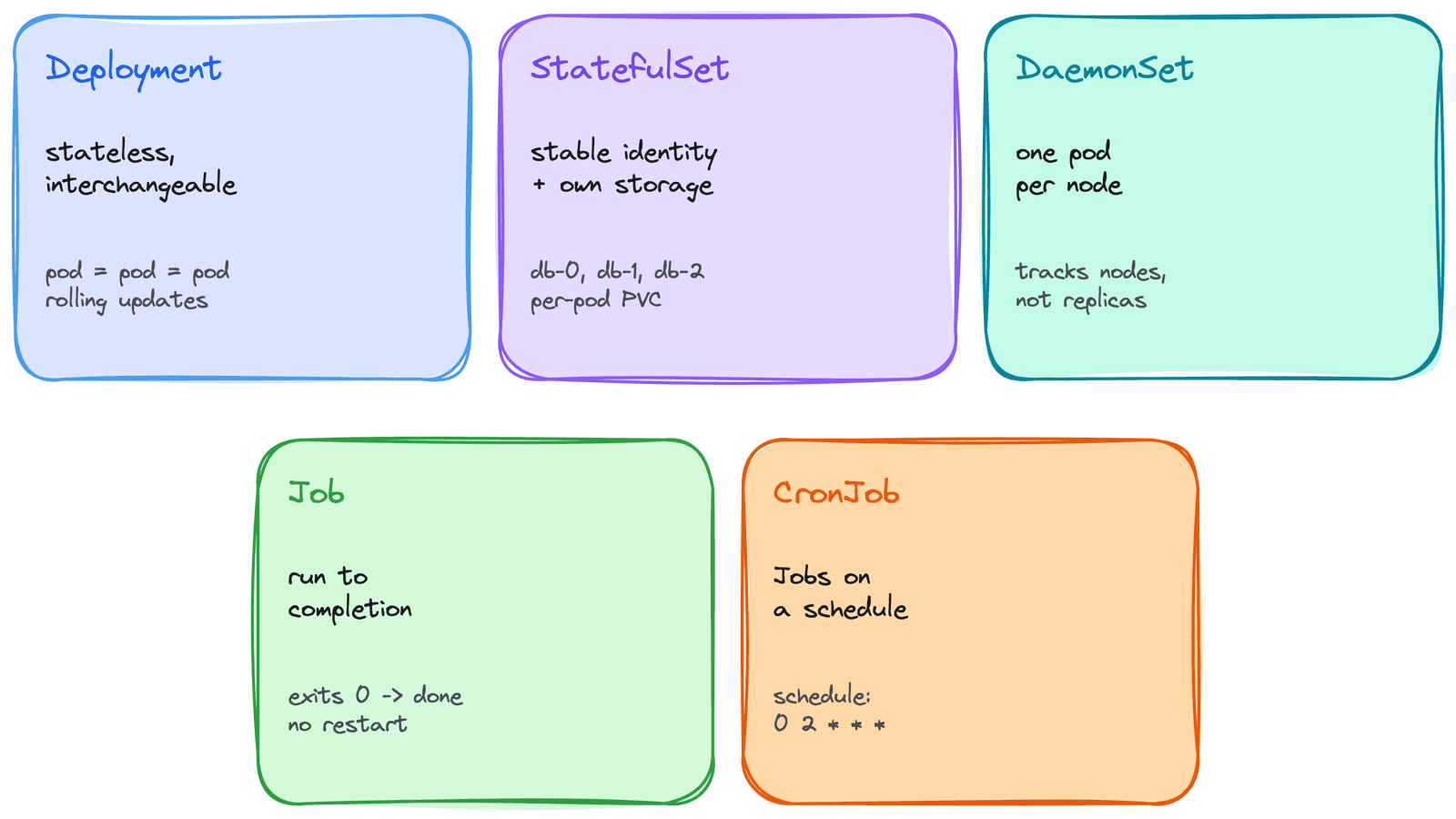
I once ran a database as a Deployment. It worked in dev, so I shipped it. Then I scaled it to two replicas and watched both pods fight over the same volume and corrupt it, because a Deployment assumes its pods are interchangeable and mine absolutely were not. Another time I ran a database migration as a Deployment - it finished, exited 0, and Kubernetes immediately restarted it, because a Deployment assumes the process should run forever. The migration ran in a loop until I noticed.
Both mistakes had the same root cause: I picked the wrong controller. In Kubernetes you rarely create a bare pod - you create a workload object that manages pods for you, and each one encodes a different assumption about what your workload is. Pick the one whose assumptions match your app and everything is easy. Pick the wrong one and you fight the platform. This post is how I choose.
1. The Question Behind the Choice
Before reaching for a controller, I answer four questions about the workload:
- Are the pods interchangeable, or does each need a stable identity?
- Does each pod need its own persistent storage that survives a restart?
- Should it run one copy per node, or a fixed number of replicas?
- Does it run forever, or run once and finish?
Your answers point almost directly at a controller:
interchangeable, runs forever          -> Deployment
stable identity + own storage          -> StatefulSet
one copy on every node                 -> DaemonSet
runs once to completion                -> Job
runs on a schedule                     -> CronJob
Get this mapping right and the rest is detail.
2. Deployment - Stateless and Interchangeable
The Deployment is the default, and the right choice for most things: web servers, APIs, stateless workers. It manages a ReplicaSet, which keeps a set number of identical pods running. The pods are cattle, not pets - random names, any node, no stable storage, fully interchangeable. If one dies, a fresh identical one replaces it and nothing cares.
This is also what gives you clean rolling updates and rollbacks - because any pod can replace any other, Kubernetes can swap them out a few at a time.
Use a Deployment when the answer to "does it matter which replica handles this request?" is no. For a stateless API, it doesn't - and that's the whole point.
If your pods are interchangeable and the app holds no local state, you want a Deployment. This covers the large majority of workloads.
3. StatefulSet - Stable Identity and Storage
A StatefulSet is for workloads where pods are not interchangeable - databases, message brokers, clustered systems where each member has a role. It gives three things a Deployment can't:
Stable network identity
Pods get predictable, ordinal names - db-0, db-1, db-2 - not random suffixes. Paired with a headless Service, each pod is individually addressable at a stable DNS name, so db-0 is always reachable as db-0.
Stable per-pod storage
Each pod gets its own PersistentVolumeClaim via volumeClaimTemplates, and that volume follows the pod across restarts and reschedules. db-0 always reattaches to db-0's data.
Ordered operations
Pods are created, scaled, and updated in order (0, then 1, then 2; reverse on scale-down). Critical for clustered systems that need a primary up before replicas join.
spec:
  serviceName: db          # headless Service for stable DNS
  replicas: 3
  template:
    # ... pod spec ...
  volumeClaimTemplates:     # each pod gets its OWN persistent volume
    - metadata:
        name: data
      spec:
        accessModes: ["ReadWriteOnce"]
        resources:
          requests:
            storage: 20Gi
This is exactly what my "database as a Deployment" disaster needed. With a StatefulSet, each replica gets its own identity and its own volume, so they don't fight.
Reach for a StatefulSet only when you genuinely need stable identity or per-pod storage. It's more complex than a Deployment, so don't use it for stateless apps just because they happen to write a temp file.
4. DaemonSet - One Pod Per Node
A DaemonSet ensures every node runs exactly one copy of a pod (or every node matching a selector). You don't set a replica count - it tracks the node count. Add a node to the cluster and it automatically gets the pod; remove a node and the pod goes with it.
This is the model for node-level agents - things that must run everywhere because they do something local to each machine:
- Log collectors (Fluent Bit, Filebeat) shipping logs from every node
- Monitoring agents (node-exporter) scraping per-node metrics
- CNI network plugins and storage daemons
The mistake I made here was running a log collector as a Deployment with replicas: 3 on a 5-node cluster - two nodes had no collector and silently shipped no logs. A log agent is a per-node concern, so it has to be a DaemonSet. Because node agents often need to run on tainted nodes too, DaemonSet pods usually carry broad tolerations so they land everywhere, including control-plane and specialized pools.
5. Job - Run Once to Completion
A Job runs pods until a set number of them complete successfully, then stops. This is the opposite of a Deployment: it's not supposed to run forever, it's supposed to finish. Migrations, backups, batch processing, one-off scripts.
spec:
  completions: 1        # how many successful runs needed
  parallelism: 1        # how many pods run at once
  backoffLimit: 4       # retries before the Job is marked failed
  ttlSecondsAfterFinished: 3600   # auto-clean the Job an hour after it finishes
The key fields:
completions- how many successful pod runs constitute "done."parallelism- how many pods run concurrently (for fan-out work).backoffLimit- how many times to retry a failing pod before giving up.
This is what my looping migration should have been. A Deployment restarts a finished process forever; a Job sees the success, records it, and stops. If a task has a natural end, it belongs in a Job.
If the process is supposed to exit, never run it under a Deployment. The controller will treat the exit as a crash and restart it endlessly.
6. CronJob - Jobs on a Schedule
A CronJob is a Job with a clock. On a cron schedule, it creates a new Job - for periodic work like nightly backups, hourly reports, or cleanup tasks.
spec:
  schedule: "0 2 * * *"          # 02:00 every day
  concurrencyPolicy: Forbid       # don't start a run if the last one is still going
  successfulJobsHistoryLimit: 3
  failedJobsHistoryLimit: 1
The field that has bitten me most is concurrencyPolicy. The default is Allow, which means if a run takes longer than the interval, a second run starts while the first is still going. I had a backup job that occasionally ran long, and on those nights two backups ran at once and thrashed the disk. Forbid (skip the new run if the previous is still active) or Replace (kill the old, start the new) fixes it.
I also keep the history limits low - by default, completed Jobs pile up and clutter the namespace until you prune them.
7. Choosing in One Pass
Putting it together as the decision I actually run through:
Does it run to completion (not forever)?
  └─ yes → is it on a schedule?
             ├─ yes → CronJob
             └─ no  → Job
  └─ no  → must it run on every node?
             ├─ yes → DaemonSet
             └─ no  → does each pod need stable identity / its own storage?
                        ├─ yes → StatefulSet
                        └─ no  → Deployment
Ninety percent of the time the answer is Deployment, and that's fine - the other controllers exist for the specific cases where a Deployment's "pods are interchangeable and run forever" assumption is wrong.
Common Mistakes I've Made
- Database as a Deployment - Replicas share no stable identity or storage and corrupt each other. Stateful clustered apps need a StatefulSet.
- Migration or batch task as a Deployment - It finishes, Kubernetes restarts it, and it loops forever. Run-to-completion work is a Job.
- Node agent as a Deployment - Replicas don't map to nodes, so some nodes get no agent. Per-node workloads are DaemonSets.
- StatefulSet for a stateless app - Pure overhead and slower rollouts. Only use it when you actually need identity or per-pod storage.
- CronJob with default concurrency - Long-running runs overlap. Set
concurrencyPolicy: ForbidorReplace. - Letting finished Jobs pile up - Set
ttlSecondsAfterFinishedand history limits, or they clutter the namespace.
Key Takeaways
- The controller encodes an assumption - Match it to your workload instead of fighting it
- Deployment = stateless, interchangeable, forever - The right default for most apps
- StatefulSet = stable identity + per-pod storage + order - For databases and clustered systems, not stateless apps
- DaemonSet = one pod per node - For node-level agents like logging and monitoring; it tracks nodes, not a replica count
- Job = run to completion - For migrations and batch work; never run finite tasks under a Deployment
- CronJob = scheduled Jobs - Mind
concurrencyPolicyso runs don't overlap
Every one of my workload mistakes was really a mismatch between what the controller assumes and what my app actually is. Once I started by asking "is this interchangeable? stateful? per-node? finite?", picking the controller stopped being a guess.