A CLI tool that turns public social media content into reusable text.
If you've ever tried to turn useful Instagram content into notes or LLM-ready context, you already know the pain. One image is manageable - take a screenshot, run OCR, copy the text. But the process falls apart when the useful content is spread across a 10-slide carousel, or buried inside a reel where you have to pause frame by frame.
The manual workflow usually looks like this - take screenshots one by one, open Google Lens, copy the text manually, repeat for every slide or frame. That is exactly the repetitive work this tool removes.
You give it a URL, and it gives you the content back in a usable form.
What It Does
- Downloads media from public Instagram posts, reels, and YouTube Shorts
- Extracts visible on-screen text via OCR
- Captures captions, hashtags, and mentions
- Handles carousel slides and short-form video scenes automatically
- Saves everything in a clean folder structure
- Prepares extracted content for notes, docs, or LLM workflows
Real Example Inputs
These are the kinds of content this tool processes - carousel posts, reels, and Shorts with useful on-screen text.
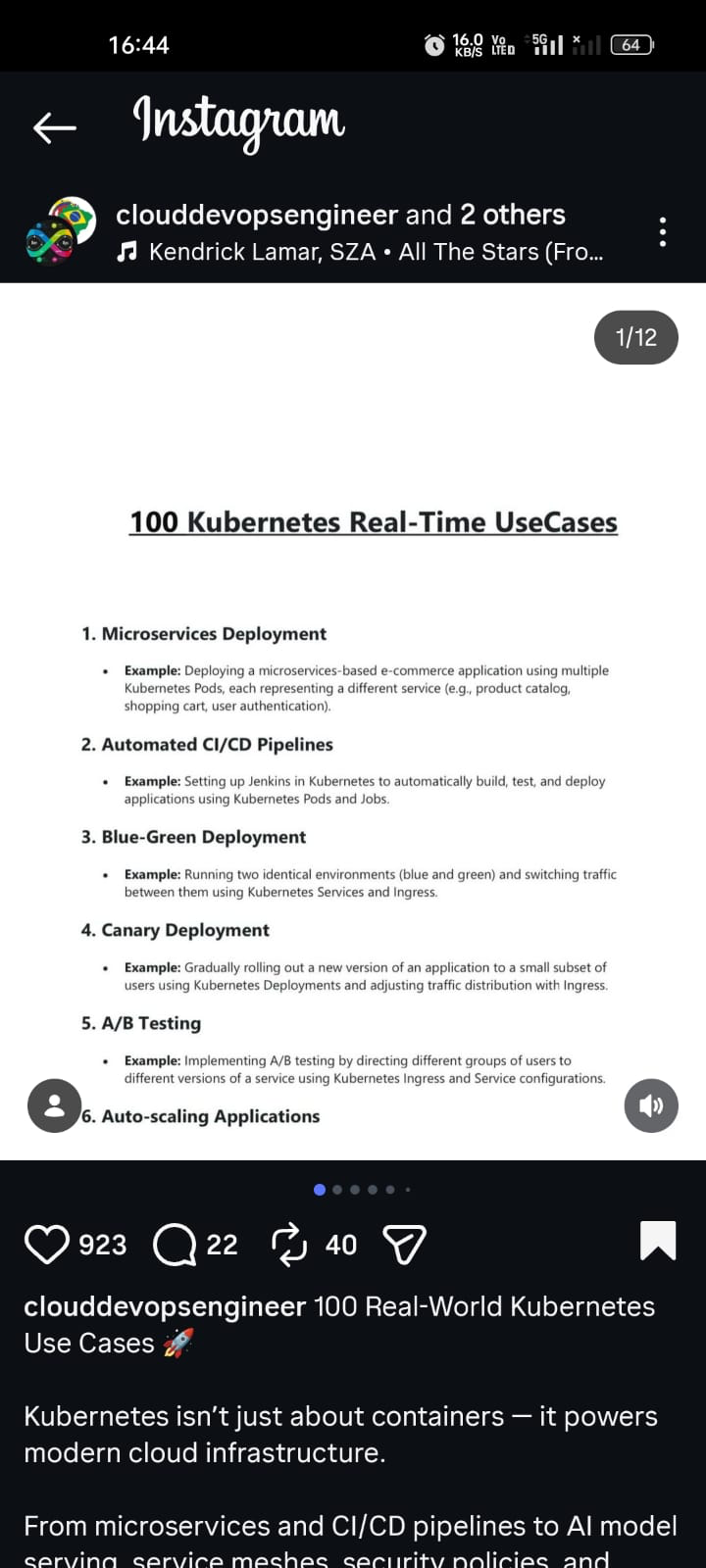
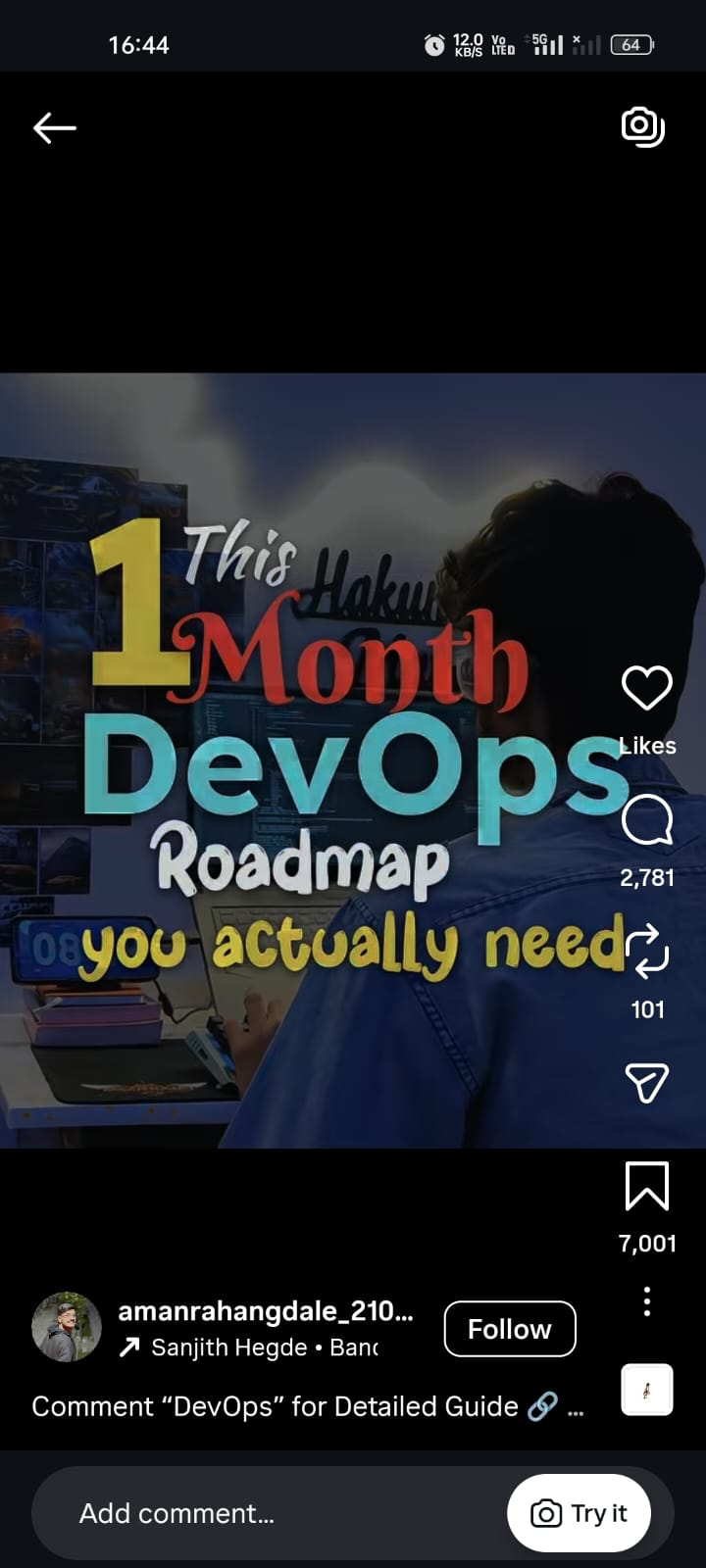
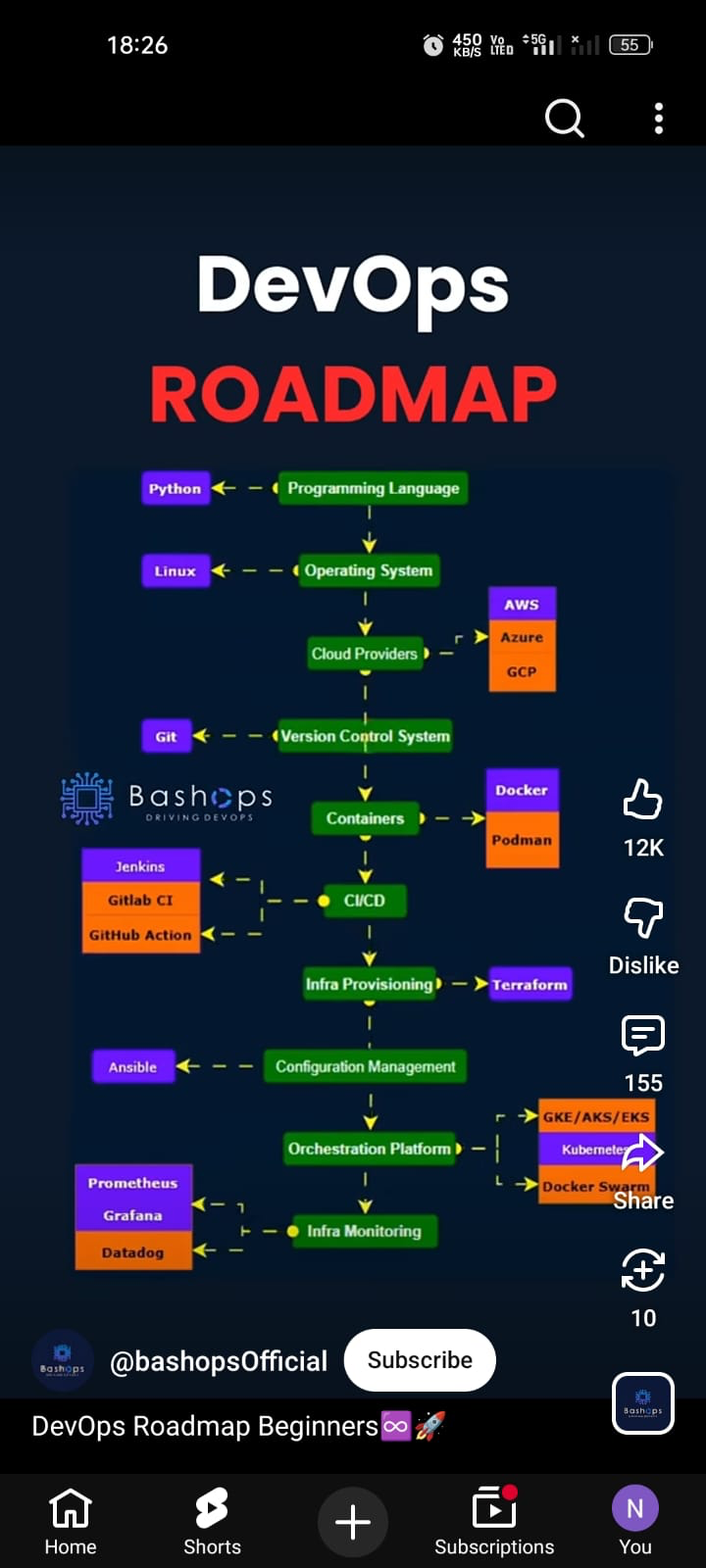
Give it any of these URLs, and the tool downloads the media, extracts all visible text, and saves everything into structured files you can use immediately.
Real Example Output
Carousel post
social-content-extractor "https://www.instagram.com/p/DVqbs3Qjifn" --sarvam╔══════════════════════════════════════════════════════════════════════════════╗
║ Social Content Extractor ║
║ https://www.instagram.com/p/DVqbs3Qjifn/ ║
╚══════════════════════════════════════════════════════════════════════════════╝
Post Info
╭───────────────────┬─────────────────────────────╮
│ Platform │ Instagram │
│ Owner │ @clouddevopsengineer │
│ Type │ CAROUSEL │
│ Media Count │ 12 │
╰───────────────────┴─────────────────────────────╯
╭─ Caption ────────────────────────────────────────────────────────────────────╮
│ 100 Real-World Kubernetes Use Cases 🚀 │
│ │
│ Kubernetes isn't just about containers — it powers modern cloud │
│ infrastructure. │
╰──────────────────────────────────────────────────────────────────────────────╯
╭─ Slide 1 - OCR Text (94.4%) ─────────────────────────────────────────────────╮
│ 100 Kubernetes Real-Time UseCases │
│ 1. Microservices Deployment │
│ Example: Deploying a microservices-based e-commerce application using │
│ multiple Kubernetes Pods, each representing a different service. │
│ 2. Automated CI/CD Pipelines │
│ Example: Setting up Jenkins in Kubernetes to automatically build, test, and │
│ deploy applications using Kubernetes Pods and Jobs. │
╰──────────────────────────────────────────────────────────────────────────────╯
... slides 2-11 omitted for brevity ...
╭─ Slide 12 - OCR Text (94.0%) ────────────────────────────────────────────────╮
│ 99. API Gateway Integration │
│ Example: Integrating an API Gateway like Kong or Ambassador with Kubernetes │
│ for managing and securing microservices APIs. │
│ 100. Performance Optimization │
│ Example: Optimizing application performance using Kubernetes resource │
│ management, autoscaling, and monitoring tools. │
╰──────────────────────────────────────────────────────────────────────────────╯
Downloaded media: 12 file(s)
OCR text saved to:
downloads/instagram/posts/DVqbs3Qjifn/content/DVqbs3Qjifn.sarvam.ocr.txt
The full run extracted 12 carousel slides at 94%+ confidence. Each slide's text is saved individually and combined into a single .ocr.txt file.
Reel
social-content-extractor "https://www.instagram.com/reel/DTTBJSgE6pP" --sarvam╔══════════════════════════════════════════════════════════════════════════════╗
║ Social Content Extractor ║
║ https://www.instagram.com/reel/DTTBJSgE6pP/ ║
╚══════════════════════════════════════════════════════════════════════════════╝
Post Info
╭───────────────────┬─────────────────────────────╮
│ Platform │ Instagram │
│ Owner │ @amanrahangdale_2108 │
│ Type │ VIDEO │
│ Media Count │ 1 │
╰───────────────────┴─────────────────────────────╯
╭─ Slide 1 - Video OCR Scenes ─────────────────────────────────────────────────╮
│ 00:02 │
│ DevOps │
│ Roadmap │
│ you actually need │
│ │
│ 00:04 │
│ DevOps Foundations │
│ Linux: files, permissions, processes, services │
│ Networking: HTTP/HTTPS, DNS, ports, SSH │
│ Scripting: Bash (mandatory), Python (basic) │
│ Version Control: Git, GitHub/GitLab │
│ │
│ 00:06 │
│ Core DevOps Tools │
│ CI/CD: Jenkins / GitHub Actions │
│ Containers: Docker, Dockerfile, Docker Compose │
│ Orchestration: Kubernetes (Pods, Deployments, Services) │
│ Cloud: AWS (EC2, S3, IAM, EKS) │
│ Terraform (infra automation) │
│ │
│ 00:07 │
│ Advanced + Career │
│ Monitoring: Prometheus, Grafana │
│ Logging: ELK Stack │
│ Security: IAM, Secrets, Trivy, SonarQube │
│ Roles: DevOps Engineer | Cloud Engineer | SRE │
╰──────────────────────────────────────────────────────────────────────────────╯
Downloaded media: 1 file(s)
OCR text saved to:
downloads/instagram/reels/DTTBJSgE6pP/content/DTTBJSgE6pP.sarvam.ocr.txtThe reel was sampled into scenes with timestamps. Duplicate frames were skipped, and the text was cleaned up by Sarvam to remove OCR noise.
How It Works
Input URL (Instagram post / reel / YouTube Short)
        │
        ▼
  Parse URL → detect platform + media type
        │
        ▼
  Fetch metadata (Instaloader / yt-dlp)
        │
        ▼
  Download media (images / video)
        │
        ▼
  Run OCR on slides or sampled video frames
        │         ├── Tesseract (local)
        │         └── Sarvam Vision (optional)
        │
        ▼
  Cleanup text (optional Sarvam AI)
        │
        ▼
  Save structured output
        ├── OCR text file
        ├── JSON metadata
        └── Downloaded media
The extraction adapts to the content type. For carousels, each slide is OCRed individually. For reels and Shorts, the video is sampled into scenes, timestamps are preserved, and duplicate frames are skipped.
Quick Start
git clone git@github.com:shaikahmadnawaz/social-content-extractor.git
cd social-content-extractor

python3 -m venv .venv
source .venv/bin/activate

pip install -e .
brew install tesseract ffmpeg
Run it:
# Instagram post
social-content-extractor "https://www.instagram.com/p/DVqbs3Qjifn" --sarvam

# Instagram reel
social-content-extractor "https://www.instagram.com/reel/DTTBJSgE6pP" --sarvam

# YouTube Short
social-content-extractor "https://www.youtube.com/shorts/Lay3pQF3I3c" --sarvam
OCR Modes
--local
Pure local OCR using Tesseract. No external API calls. Best when you want the simplest path.
--sarvam
Local OCR with Tesseract, then text cleanup via Sarvam AI. Fixes OCR junk, normalizes formatting, and preserves meaning. This is the recommended default for all content types.
--sarvam-vision
Sarvam Vision does the OCR instead of Tesseract, then Sarvam cleans up the text. Useful for comparing OCR quality on posts and carousels. Still experimental on reels.
Sarvam Pricing
- Sarvam 30B (chat cleanup / sentence formatting) - Free
- Sarvam Vision (image OCR / vision extraction) - ₹1.5 per page
--sarvam uses local OCR plus free Sarvam chat cleanup, making it the cheaper default. --sarvam-vision invokes Sarvam Vision OCR, so use it only when you specifically want to compare vision-based extraction quality.
Content Source Handling
Short-form social content isn't always text-on-image first. Sometimes the real message is in the caption, sometimes it's inside the slides, sometimes both matter.
The extractor doesn't merge caption and OCR blindly. It keeps them separate and adds a lightweight decision layer:
caption_only- Caption is substantial, OCR is weakocr_only- OCR is substantial, caption is promotionalcaption_plus_ocr- Both are meaningfulmedia_representational- Media is decorative, caption carries the message
This keeps raw data intact while giving you a practical default for downstream use.
Output Layout
The tool uses a platform-first directory structure:
downloads/
  instagram/
    posts/
      DVqbs3Qjifn/
        media/
          DVqbs3Qjifn_1.jpg
          DVqbs3Qjifn_2.jpg
        content/
          DVqbs3Qjifn.sarvam.ocr.txt
          DVqbs3Qjifn.sarvam.json
    reels/
      DTTBJSgE6pP/
        media/
          DTTBJSgE6pP_1.mp4
        content/
          DTTBJSgE6pP.sarvam.ocr.txt
  youtube/
    shorts/
      Lay3pQF3I3c/
        media/
          Lay3pQF3I3c_1.mp4
        content/
          Lay3pQF3I3c.sarvam.ocr.txt
Media and content are separated. Artifacts are named by OCR mode so you can compare results from different modes side by side.
Caching
Downloaded media isn't fetched again if a valid local copy exists. Images are verified by opening them. Videos are validated for duration and stream presence using ffprobe when available. Broken cached files are deleted and re-downloaded automatically.
Sarvam AI Cleanup
The cleanup is designed to preserve meaning and order, not rewrite content. It removes obvious OCR junk, normalizes formatting, and avoids inventing missing text.
Safety behavior:
- Reasoning-style responses from the model are ignored
- Markdown fences are stripped
- Generic provider artifacts like
data:image/...payloads are filtered - Image-description prose like "The image is..." is filtered
No content-specific hardcoded hacks or platform-specific text replacements.
OCR Behavior
Posts and carousels
- Image slides are OCRed one by one
- Results are stored per slide with confidence scores
- Combined text is saved into a single
.ocr.txtfile
Reels and Shorts
- Video is sampled into scenes at key intervals
- Timestamps are formatted in playback order (e.g.
00:02,00:04) - Repeated scenes are deduplicated to avoid duplicate text
- If local frame OCR fails, thumbnail OCR is used as a fallback
JSON Structure
When you pass --json, the saved file includes:
shortcode,url,post_type,ownercaption,accessibility_caption,hashtags,mentionsdate,date_local,likes,comments_countmedia_count,media,slides,downloaded_filesocr_text,ocr_combined_text,ocr_providerocr_cleanup_model(when Sarvam is used)content_strategy,primary_source,primary_text
{
  "content_strategy": "caption_plus_ocr",
  "primary_source": "ocr",
  "primary_text": "The most useful extracted content goes here"
}
The content_strategy field tells you how the extractor decided to handle the content, and primary_text gives you the most useful text to use downstream.
Project Structure
src/social_content_extractor/
  __init__.py
  __main__.py
  cli.py
  extractor/
    __init__.py
    constants.py
    core.py
    sources.py
    text.py
Tech Stack
- Language - Python
- Instagram fetching - Instaloader
- YouTube fetching - yt-dlp
- Local OCR - Tesseract
- Video processing - FFmpeg
- AI cleanup - Sarvam AI (chat completions)
- AI vision OCR - Sarvam Vision (optional)
- CLI - argparse
- Rich terminal output - Rich library
CLI Flags
--local- Pure Tesseract OCR--sarvam- Tesseract OCR + Sarvam cleanup (recommended)--sarvam-vision- Sarvam Vision OCR + Sarvam cleanup--sarvam-model- Choosesarvam-30borsarvam-105b--json- Save JSON output--ocr-lang- Tesseract language code--ocr-psm- Tesseract page segmentation mode--ocr-min-confidence- Minimum word confidence threshold--show-accessibility- Show Instagram accessibility caption--no-download- Skip media download
Current Limitations
What works well:
- Posts and carousels with local OCR
- Reels with local OCR + Sarvam cleanup
- YouTube Shorts extraction
- Cached media reuse
- Clean output folder structure
What's still imperfect:
- Sarvam Vision on reels can still be noisy
- Stylized or low-contrast visuals are challenging for any OCR provider
- Anonymous Instagram requests may occasionally hit
403or rate limits
What This Is NOT
This isn't a content scraper for mass downloading. It's a personal productivity tool - designed to extract text from content you've already found useful and want to reference later. It's built for the workflow of "I saw something useful, I want to save the text" - not "download everything from this account."