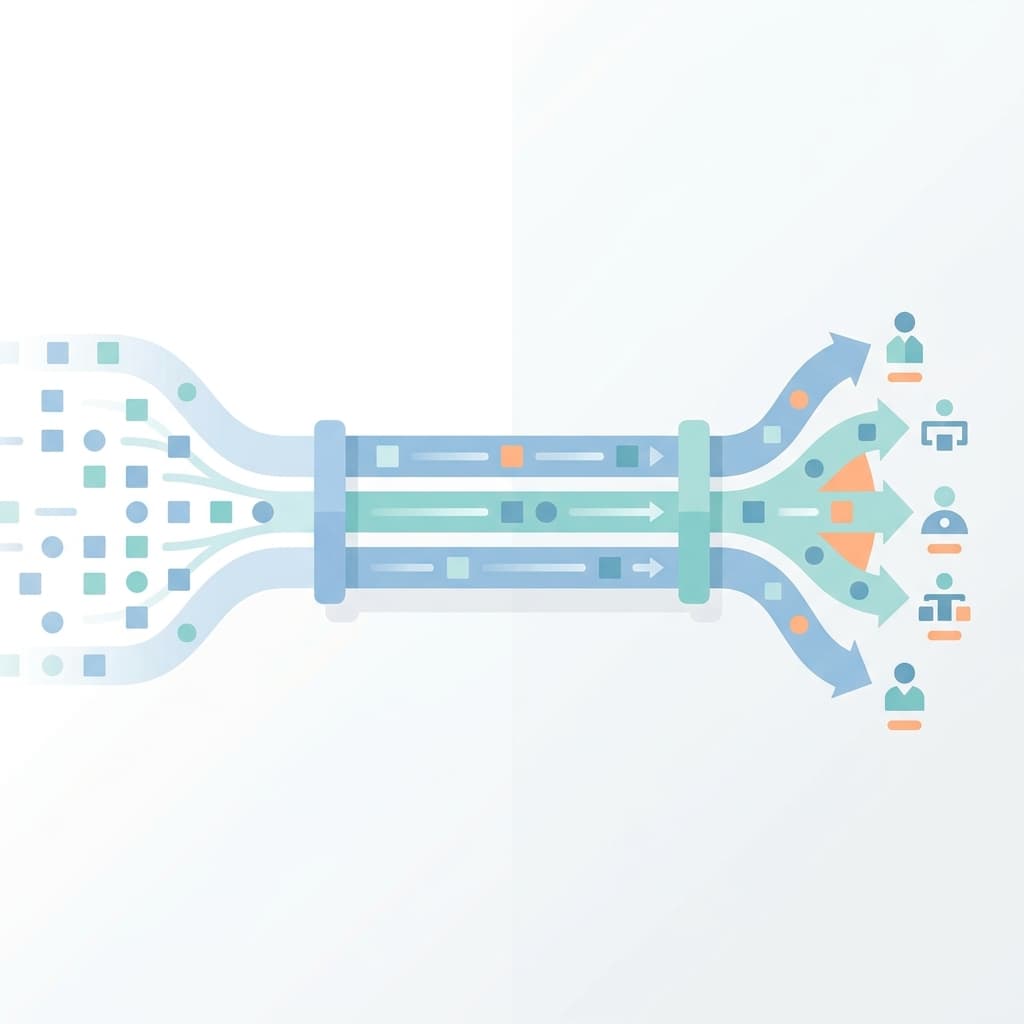
The first time I encountered Kafka, I thought it was just another message queue. Something like RabbitMQ but faster. It took running it in a real production system to understand that Kafka is a fundamentally different thing - it's a distributed commit log, and that distinction changes how you design, operate, and debug everything around it.
This post is what I've learned about Kafka from the operations side. Not a getting-started tutorial - but how Kafka actually works, why the architecture matters, and the operational patterns that have helped me keep event-driven systems running reliably.
1. Why Kafka Exists
Before Kafka, most systems communicated in one of two ways - direct API calls (synchronous) or traditional message queues (point-to-point). Both have limitations that show up at scale.
Synchronous API calls
Service A calls Service B directly. If B is slow or down, A either waits or fails. As you add more services, every pair needs to know about each other. The coupling gets tight and failures cascade.
Traditional message queues
A producer puts a message in a queue, a consumer pulls it out. Once consumed, the message is gone. If you want two different consumers to process the same event, you need two queues with the same data. Replay isn't possible - once a message is acknowledged, it's deleted.
What Kafka does differently
Kafka decouples producers from consumers through a persistent, append-only log. Messages are not deleted after consumption - they stay in the log for a configurable retention period (hours, days, or even forever). Multiple consumers can read the same data independently, at their own pace. You can replay events from any point in time.
This is the key insight that took me a while to internalize - Kafka is not a queue where messages disappear. It's a log where events are recorded permanently (within retention). That changes everything about how you think about data flow.
2. Core Architecture
Understanding Kafka's architecture is essential for operating it. Every operational problem I've debugged maps back to one of these components.
Brokers
A Kafka cluster is made up of multiple brokers - servers that store data and serve client requests. Each broker handles a subset of the data. If one broker dies, the others continue serving. In production, I've typically seen clusters with 3-5 brokers for moderate workloads.
Topics
A topic is a named stream of events. Think of it as a category. You might have a user-signups topic, an order-events topic, and a payment-transactions topic. Producers write to topics, consumers read from them.
Partitions
Each topic is split into one or more partitions. This is where Kafka's parallelism comes from. Each partition is an ordered, immutable sequence of records. When a producer writes to a topic with 6 partitions, each message goes to exactly one partition (determined by a key or round-robin).
Topic: order-events
├── Partition 0: [msg1, msg4, msg7, ...]
├── Partition 1: [msg2, msg5, msg8, ...]
└── Partition 2: [msg3, msg6, msg9, ...]
Ordering is guaranteed within a partition, not across partitions. If you need all events for a specific user to be processed in order, you produce them with the same key (e.g., user ID) so they always land in the same partition.
Offsets
Each message in a partition has a sequential offset - a number that uniquely identifies its position. Consumers track their position by committing offsets. If a consumer crashes and restarts, it resumes from its last committed offset.
Partition 0: [offset 0] [offset 1] [offset 2] [offset 3] ...
                                        ^
                              consumer's current position
This is one of the things I appreciate most about Kafka - the consumer controls where it is in the stream. It can go back and reprocess old events, skip ahead, or start from the beginning. The log doesn't care.
Consumer groups
A consumer group is a set of consumers that coordinate to read from a topic. Kafka assigns each partition to exactly one consumer within the group. If you have 6 partitions and 3 consumers in a group, each consumer gets 2 partitions.
Topic: order-events (6 partitions)

Consumer Group: order-processor
├── Consumer 1 → Partition 0, Partition 1
├── Consumer 2 → Partition 2, Partition 3
└── Consumer 3 → Partition 4, Partition 5
This is how Kafka scales consumption. Adding more consumers (up to the number of partitions) spreads the load. If a consumer dies, Kafka rebalances - redistributing its partitions to the remaining consumers.
Replication
Each partition is replicated across multiple brokers. One replica is the leader (handles all reads and writes), the others are followers (stay in sync). If the leader broker dies, a follower is promoted to leader.
The replication factor determines how many copies exist. A replication factor of 3 means each partition lives on 3 brokers. This is the standard for production - it tolerates one broker failure without data loss.
3. How Data Flows Through Kafka
Let me trace a complete flow to make this concrete.
Step 1 - Producer writes
An order service creates an event: { orderId: 123, status: "placed" }. It sends this to the order-events topic with orderId as the key.
Step 2 - Partitioning
Kafka hashes the key (123) to determine the partition. Let's say it maps to Partition 2. The message is appended to Partition 2's log on the leader broker.
Step 3 - Replication
The leader writes the message to its local log, then the followers replicate it. Once enough replicas acknowledge (determined by the acks setting), the write is considered successful.
Step 4 - Consumer reads
A consumer in the order-processor group is assigned Partition 2. It polls for new messages, receives the event, processes it (maybe sends an email notification), and commits the offset.
Step 5 - Retention
The message stays in the log until the retention period expires. Other consumer groups (analytics, audit, search indexing) can read the same event independently.
Producer → Topic (Partition) → Broker (Leader) → Replicas
                                     ↓
                              Consumer Group A (order processing)
                              Consumer Group B (analytics)
                              Consumer Group C (search indexing)
This fan-out pattern is what makes Kafka powerful. One write, many readers, no coordination between them.
4. Configuration That Matters in Production
These are the settings I pay attention to when operating Kafka. Getting them wrong causes subtle failures that are hard to debug.
Producer settings
acks
Controls durability. acks=0 means fire-and-forget (fast, lossy). acks=1 means the leader acknowledges (reasonable default). acks=all means all in-sync replicas acknowledge (safest, slightly slower). For anything where data loss is unacceptable, I use acks=all.
retries and retry.backoff.ms
Producers retry failed sends automatically. But if retries happen without idempotency enabled, you can get duplicate messages. I always enable enable.idempotence=true alongside retries.
linger.ms and batch.size
Kafka batches messages before sending. linger.ms is how long to wait for more messages before sending a batch. batch.size is the max batch size. Higher values improve throughput but add latency. I tune these based on the workload - low latency services get linger.ms=0, high-throughput pipelines get linger.ms=50 or more.
Consumer settings
auto.offset.reset
What happens when a consumer starts and has no committed offset? earliest starts from the beginning of the log. latest starts from the current end. For data processing pipelines, I use earliest so nothing is missed. For real-time dashboards where old data is irrelevant, I use latest.
enable.auto.commit
If true, offsets are committed automatically at regular intervals. This is convenient but risky - if the consumer crashes after auto-commit but before processing, the message is lost. For critical workloads, I disable auto-commit and commit manually after processing.
max.poll.records and max.poll.interval.ms
These control how much work a consumer takes on per poll. If processing is slow and you exceed max.poll.interval.ms, Kafka assumes the consumer is dead and triggers a rebalance. I've seen this cause cascading rebalances in production - the consumer wasn't dead, just slow.
Broker and topic settings
retention.ms
How long messages are kept. Default is 7 days. For audit logs, I set this much higher. For high-volume telemetry, sometimes shorter. Setting this too low means you can't replay events when you need to.
min.insync.replicas
The minimum number of replicas that must acknowledge a write when acks=all. With a replication factor of 3 and min.insync.replicas=2, you can lose one broker and still accept writes. If you set this to 3, any single broker failure blocks writes entirely.
num.partitions
The default partition count for new topics. More partitions means more parallelism, but also more overhead on brokers and more files on disk. I start with a reasonable number (6-12 for moderate workloads) and increase only when I have a clear throughput bottleneck.
5. Operational Patterns I Follow
Monitoring consumer lag
Consumer lag is the distance between the latest offset in a partition and the consumer's committed offset. It tells you how far behind a consumer is.
Latest offset: 15000
Consumer offset: 14200
Lag: 800 messages
Small, steady lag is normal. Growing lag means the consumer can't keep up with the production rate. I've set up alerts on consumer lag that fire when it crosses a threshold and keeps increasing over a 5-minute window.
The first time I ignored consumer lag, it bit me hard. A downstream service was processing events slower than they were produced. By the time we noticed, the lag was in the millions and catching up took hours. Now I treat consumer lag as a first-class production metric.
Partition rebalancing
When a consumer joins or leaves a group, Kafka redistributes partitions across the remaining consumers. During a rebalance, all consumers in the group pause. If rebalances happen frequently, throughput drops.
Common causes of unnecessary rebalances:
- Consumer taking too long to process a batch (exceeds
max.poll.interval.ms) - Consumer not sending heartbeats (network issues or GC pauses)
- Frequent consumer deployments without graceful shutdown
I've learned to tune session.timeout.ms and max.poll.interval.ms based on actual processing times, and to always implement graceful shutdown in consumers so they leave the group cleanly instead of timing out.
Handling poison pills
A poison pill is a malformed message that causes the consumer to crash every time it tries to process it. The consumer restarts, reads the same message, crashes again - stuck in a loop.
The pattern I follow:
- Wrap processing in a try-catch
- On repeated failures for the same message, move it to a dead-letter topic
- Alert on dead-letter topic writes
- Investigate and replay once the bug is fixed
Without this pattern, one bad message can block an entire partition indefinitely.
Schema evolution
When producers change the shape of events (adding fields, removing fields, changing types), consumers can break if they're not prepared for the new format.
I've learned this the hard way - a producer added a new required field to an event, and a consumer that hadn't been updated started failing on deserialization. The fix was obvious (update the consumer), but the outage happened because there was no schema contract between them.
Using a schema registry (like Confluent Schema Registry) with backward/forward compatibility rules prevents this. Producers register schemas, consumers validate against them, and breaking changes are rejected before they reach production.
6. Kafka vs Traditional Message Queues
This comparison helped me understand when Kafka is the right choice and when it's overkill.
Use a traditional queue (RabbitMQ, SQS) when:
- You need simple task distribution - one message, one consumer
- Message ordering isn't critical
- You don't need replay or event history
- You want point-to-point delivery with acknowledgement and deletion
Use Kafka when:
- Multiple consumers need to read the same events independently
- You need event replay or audit trails
- Ordering within a key matters
- You're building event-driven architectures with decoupled services
- Throughput requirements are very high (millions of events per second)
Kafka is not always the right answer. For a simple background job queue (send email, resize image), RabbitMQ or SQS is simpler to operate and perfectly sufficient. I've seen teams adopt Kafka for use cases where a simple queue would have been easier and cheaper to run.
7. Running Kafka on Kubernetes
I've operated Kafka on Kubernetes, and it comes with specific challenges because Kafka is stateful and network-sensitive.
Persistent storage
Kafka brokers need persistent volumes. If a pod restarts without its data, it has to replicate the entire partition from other brokers - which is slow and puts load on the cluster. I use StatefulSet with PersistentVolumeClaims so each broker keeps its data across restarts.
Network identity
Kafka brokers advertise their address to clients. In Kubernetes, this means using a headless Service so each broker has a stable DNS name (kafka-0.kafka-headless.namespace.svc). If the advertised address is wrong, producers and consumers can't connect after a leader election.
Resource limits
Kafka is memory-hungry. It relies heavily on the OS page cache for performance. I've learned to set memory requests generously and avoid tight memory limits that trigger OOM kills. A Kafka broker that gets OOM-killed loses its page cache and performs terribly after restart until the cache warms up.
Rolling upgrades
Upgrading Kafka brokers one at a time while keeping the cluster healthy requires careful orchestration. I drain partitions from a broker before restarting it, then let it catch up after restart. The Strimzi operator handles this well in Kubernetes.
8. Real Scenarios I've Dealt With
Consumer lag spiraling after a deployment
After deploying a new version of a consumer, lag started climbing steadily. The consumer was processing messages, but slower than before. The new version had added a database call per message that added 50ms of latency. At 1000 messages/second across 6 partitions, that 50ms was enough to fall behind.
The fix was batching the database calls - instead of one query per message, the consumer collected messages for 200ms, then made one batch query. Lag dropped back to near-zero.
Rebalance storm during peak traffic
During a traffic spike, one consumer in a group started taking longer than max.poll.interval.ms to process its batch. Kafka kicked it out of the group and rebalanced. The rebalance paused all consumers. When they resumed, the remaining consumers were now even more loaded, causing another timeout and another rebalance. This cascading rebalance continued for 15 minutes.
The fix was two things - increasing max.poll.interval.ms to accommodate peak processing times, and reducing max.poll.records so each poll returned fewer messages that could be processed within the interval.
Data loss from auto-commit
A consumer had enable.auto.commit=true with the default 5-second interval. It polled a batch, auto-committed, then crashed mid-processing. When it restarted, it resumed from the committed offset - skipping the unprocessed messages.
We didn't notice until a downstream report had missing data. After that, I switched all critical consumers to manual commit - commit only after successful processing.
Producer running out of buffer memory
A producer was sending events faster than the broker could acknowledge them. The producer's internal buffer (buffer.memory) filled up, and sends started blocking. The application slowed down because the producer's send() call blocked the main thread.
The fix was increasing buffer.memory, using async sends with callbacks, and adding backpressure handling so the application could react when the buffer was nearly full.
Common Mistakes I've Made
- Starting with too many partitions - More partitions means more parallelism, but also more broker overhead, more files, and harder rebalances. Starting with 3-6 and scaling up based on actual load is better than starting with 100 "just in case."
- Ignoring consumer lag until it's a crisis - Lag should be monitored from day one. By the time users notice, the lag is usually in the millions and recovery takes hours.
- Not testing consumer behavior on bad messages - If the consumer crashes on one malformed message, it will crash forever. Dead-letter handling should be in place before production.
- Using auto-commit for critical data - Convenient for development, dangerous for production. Manual commit after processing is the safe default.
- Treating Kafka like a database - Kafka is a log, not a query engine. If you need to look up a specific record by ID, you need a database downstream. Kafka is for streaming and event replay, not random access.
- Skipping schema management - Without a schema registry or at least documented contracts, producer changes will break consumers. It's a matter of when, not if.
Key Takeaways
- Kafka is a distributed commit log, not a message queue - Messages persist, multiple consumers read independently, replay is possible
- Partitions are the unit of parallelism - Ordering is guaranteed within a partition, not across them
- Consumer lag is the most important operational metric - Monitor it, alert on it, investigate it early
acks=allwith idempotent producers is the safe default - Trade a small amount of latency for durability- Rebalances are expensive - Tune timeouts and implement graceful shutdown to minimize them
- Dead-letter topics prevent poison pills from blocking processing - Always handle bad messages gracefully
- Schema evolution needs a contract - Use a schema registry or break things later
- Kafka on Kubernetes is possible but not simple - Stateful workloads need persistent storage, stable network identity, and careful resource management
Kafka is one of those systems that looks simple on the surface but gets complex quickly in production. The architecture is elegant, but operating it well requires understanding the internals - not just the API.