A FastAPI application containerized with Docker and PostgreSQL, with CI checks, Trivy image scanning, and GHCR publishing.
Most Docker tutorials end at "it runs in a container." The Dockerfile works, the app starts, and the tutorial is done.
But that is not how containers work in production. In real environments, containers run as non-root users, use read-only filesystems, drop unnecessary Linux capabilities, pass vulnerability scans before deployment, and get pushed to a registry through a pipeline that blocks bad images automatically.
I wanted a single project that covered all of these patterns in one place - not scattered across five different tutorials. Something I could point to and say "this is how I containerize applications." So I built one.
The application itself is intentionally simple - a FastAPI service with a few operational endpoints. The real focus is on the containerization, the security decisions, the CI pipeline, and the operational documentation around it.
What It Includes
- A multi-stage Docker build (builder + runtime)
- A local Docker Compose stack with PostgreSQL
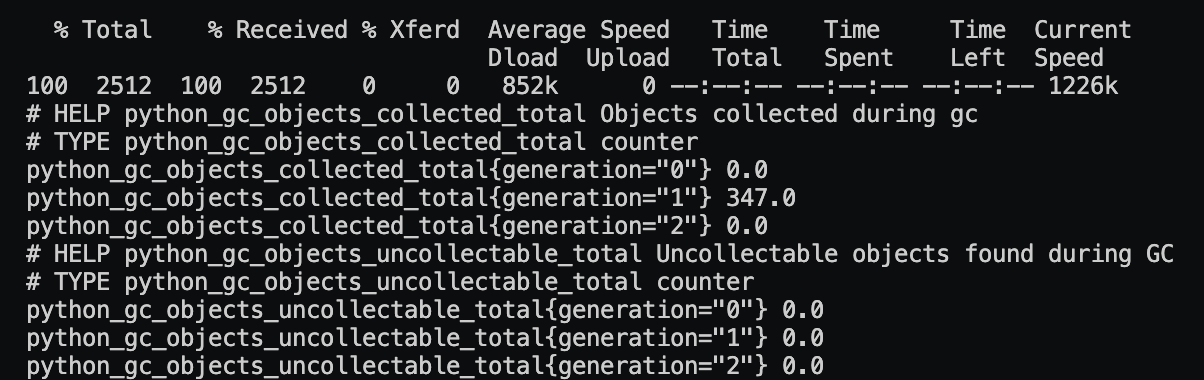
- Health, readiness, info, and Prometheus metrics endpoints
- Non-root container execution
- Read-only filesystem with tmpfs
- Linux capability drop (
cap_drop: ALL) - Smoke tests
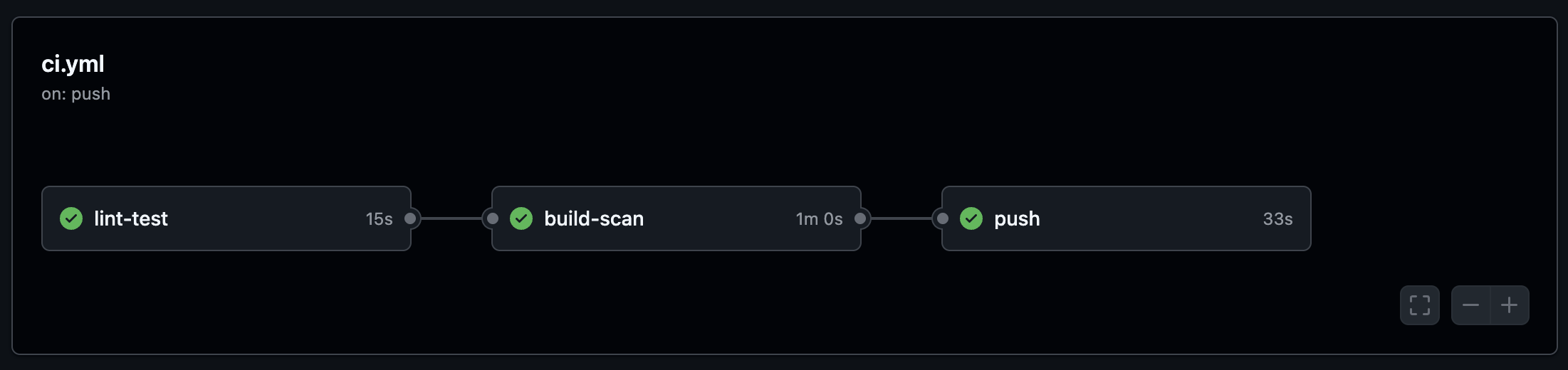
- GitHub Actions CI (lint → build → scan → push)
- Trivy image scanning as a blocking gate
- Operational documentation (architecture, runbook, security, decisions)
Architecture
Developer
   │
   ▼
+-------------------------------+
| docker compose up             |
|   ┌────────────────────────┐  |
|   │  app (containerize-app)|  |   Port 8000
|   │  - non-root (uid 10001)|◄─┼──── external traffic
|   │  - read-only fs        |  |
|   │  - cap_drop: ALL       |  |
|   │  - healthcheck /health |  |
|   └────────────┬───────────┘  |
|                │ postgres://   |
|   ┌────────────▼───────────┐  |
|   │  db (postgres:16-alpine)|  |   (internal network only)
|   │  - named volume        |  |
|   │  - healthcheck         |  |
|   └────────────────────────┘  |
+-------------------------------+

Shared network: containerize-app-net (bridge)
Persistent storage: containerize-app-pgdata (named volume)
The app container runs as a non-root user with a read-only filesystem. The database is only reachable within the internal Docker network - no host port exposure.
Multi-Stage Build
The Dockerfile uses a two-stage build to keep the runtime image minimal:
FROM python:3.14-slim AS builder

WORKDIR /build
RUN apt-get update && apt-get install -y --no-install-recommends gcc \
    && rm -rf /var/lib/apt/lists/*

COPY app/requirements.txt ./requirements.txt
RUN python -m pip install --no-cache-dir --prefix=/install -r requirements.txt

FROM python:3.14-slim AS runtime

ENV PYTHONDONTWRITEBYTECODE=1 \
    PYTHONUNBUFFERED=1 \
    APP_ENV=production

WORKDIR /app

RUN groupadd --gid 10001 appgroup \
    && useradd --uid 10001 --gid appgroup --no-create-home --shell /usr/sbin/nologin appuser

COPY --from=builder /install /usr/local
COPY app/ ./
RUN chown -R appuser:appgroup /app

USER appuser

EXPOSE 8000

HEALTHCHECK --interval=30s --timeout=5s --start-period=10s --retries=3 \
    CMD python -c "import urllib.request; urllib.request.urlopen('http://localhost:8000/health')"

CMD ["uvicorn", "main:app", "--host", "0.0.0.0", "--port", "8000", "--workers", "1"]
The builder stage installs gcc and compiles wheels. The runtime stage copies only the installed packages - no build toolchain, no pip, no gcc in production. The app runs as appuser (uid 10001), not root.
Security Decisions
Every hardening choice in this project exists for a specific reason. Here is what I did and why.
Multi-stage build over single-stage
Single-stage builds leave gcc, pip, and the full build toolchain in the runtime image. That increases attack surface and image size for no benefit. I use a two-stage build so the runtime image contains only Python, the installed packages, and the application source.
Non-root user over root
Many Docker base images default to root. I create a dedicated appuser (uid 10001) and drop to it before running the app. This satisfies Kubernetes restricted pod security profiles and limits what an attacker can do if the process is compromised.
Read-only filesystem
read_only: true
tmpfs:
  - /tmp
The container filesystem is mounted read-only. Only /tmp is writable via tmpfs. This means an attacker cannot modify binaries or drop payloads on disk - even if they get code execution inside the container.
Capability drop
cap_drop:
  - ALL
security_opt:
  - no-new-privileges:true
All Linux capabilities are dropped. If a specific capability is needed later, it has to be explicitly added and justified - not silently inherited from the Docker defaults.
Database not exposed on host
This is a common misconfiguration I see in tutorials - PostgreSQL with ports: "5432:5432" wide open on the host. In this project, the database has no ports: entry at all. It is only reachable within the Compose bridge network by service name.
Blocking scan over warn-only
I have seen warn-only scan policies get ignored under delivery pressure too many times. Trivy is configured as a blocking gate here - HIGH or CRITICAL findings fail the pipeline. You either fix the vulnerability, suppress it explicitly via .trivyignore, or you do not ship.
Application Endpoints
/- Basic app info/health- Liveness probe (is the process alive?)/ready- Readiness probe (is the database reachable?)/info- Runtime debug information/metrics- Prometheus metrics endpoint
The readiness endpoint actually connects to PostgreSQL and runs SELECT 1 - it checks real database connectivity, not just whether an environment variable exists.
Running Locally
docker compose up -d
docker compose ps
Health, readiness, and runtime info:
curl http://localhost:8000/health
curl http://localhost:8000/ready
curl http://localhost:8000/info

Prometheus metrics:
curl http://localhost:8000/metrics | head
CI/CD Pipeline
git push (master / PR)
   │
   ▼
[lint-test]     ruff + pytest
   │
   ▼
[build-scan]    docker build → Trivy scan (HIGH/CRITICAL blocking)
   │
   ▼ (master only)
[push]          tag by SHA + semver → GHCR private registry
The pipeline has three jobs:
- lint-test - Runs ruff for linting and pytest for smoke tests
- build-scan - Builds the runtime image, scans it with Trivy, uploads SARIF results to GitHub Security tab. HIGH/CRITICAL findings block the pipeline
- push - Tags the image by commit SHA and pushes to GitHub Container Registry (master only)
One detail worth mentioning - the Trivy action is pinned to a specific commit SHA, not a mutable tag. This is because of the Trivy tag-poisoning incident in March 2026. The SARIF results are uploaded to the GitHub Security tab so findings are visible even when the pipeline passes.
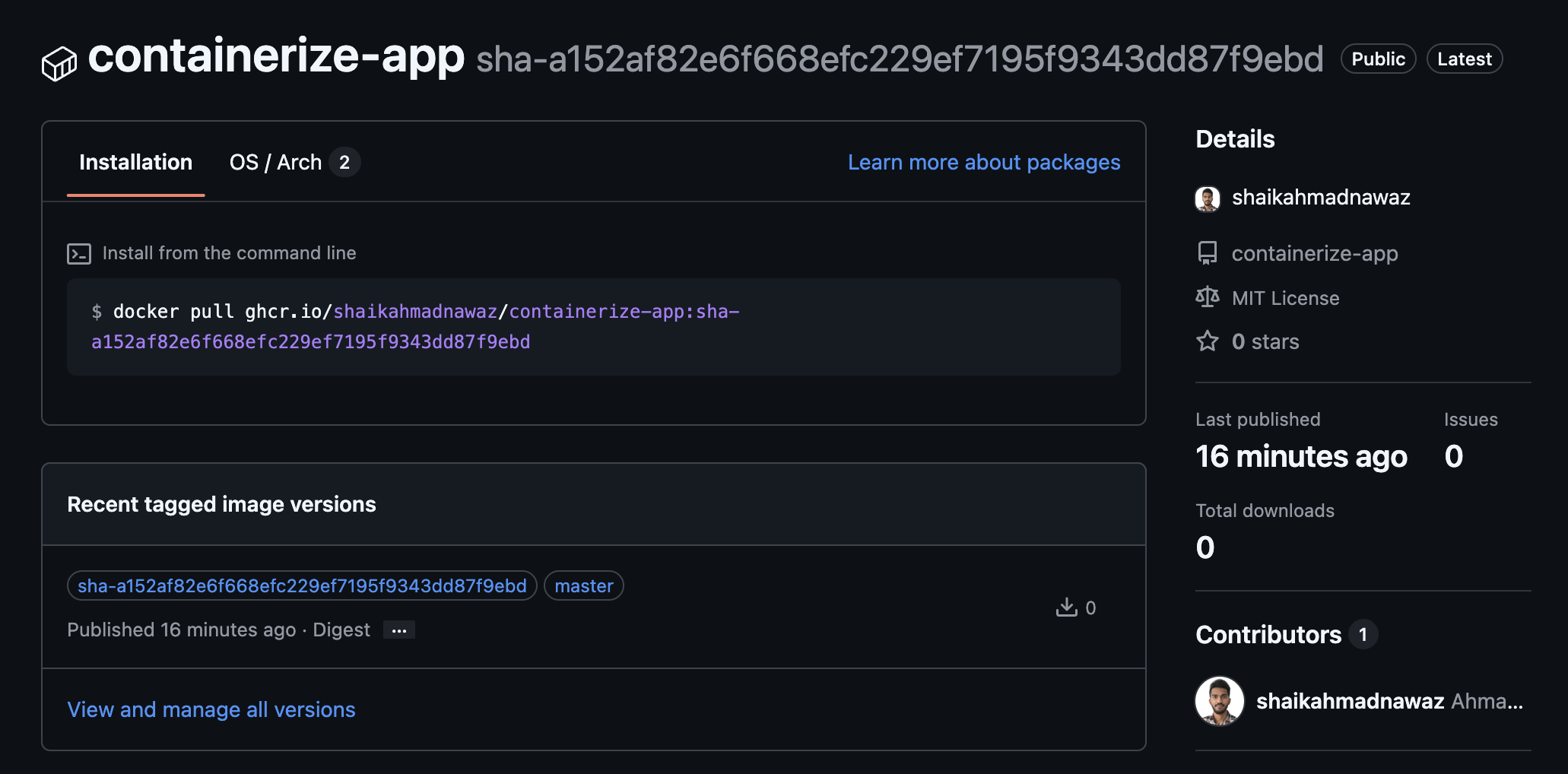
Published package on GHCR:
Project Structure
containerize-app/
├── app/                  # FastAPI application
├── docs/                 # Architecture, operations, runbook, security, testing
├── scripts/              # Setup and cleanup helpers
├── tests/smoke/          # Smoke tests
├── .github/workflows/    # CI pipeline
├── Dockerfile
├── docker-compose.yml
├── Makefile
├── pytest.ini
├── LICENSE
└── README.md
Operational Documentation
I wanted the project to be more than just code. So I wrote operational docs covering how to actually run, monitor, scale, and debug this thing in production.
- Architecture - System diagram, CI/CD pipeline, image build strategy, trust boundaries
- Operations - Deployment flow, environment strategy, rollback patterns, observability coverage
- Runbook - Incident response procedures for common failure scenarios
- Security - Threat surface, secret handling, runtime hardening, least privilege
- Testing - Smoke test strategy and validation commands
- Scaling - Path from single container to multi-replica with connection pooling
- Cost - Resource estimates for local and cloud deployments
- Decisions - Architecture Decision Records for every hardening choice
Tech Stack
- Language - Python
- Framework - FastAPI
- Container runtime - Docker
- Local orchestration - Docker Compose
- Database - PostgreSQL 16 (Alpine)
- CI/CD - GitHub Actions
- Image scanning - Trivy
- Metrics - Prometheus client
- Linting - Ruff
What This Is NOT
This is not a "hello world in Docker" tutorial. It is a reference implementation for containerizing applications with production patterns - from security hardening to CI gates to operational documentation - all in one repo.
The FastAPI service is intentionally simple. The point is the infrastructure around it, not the API itself.